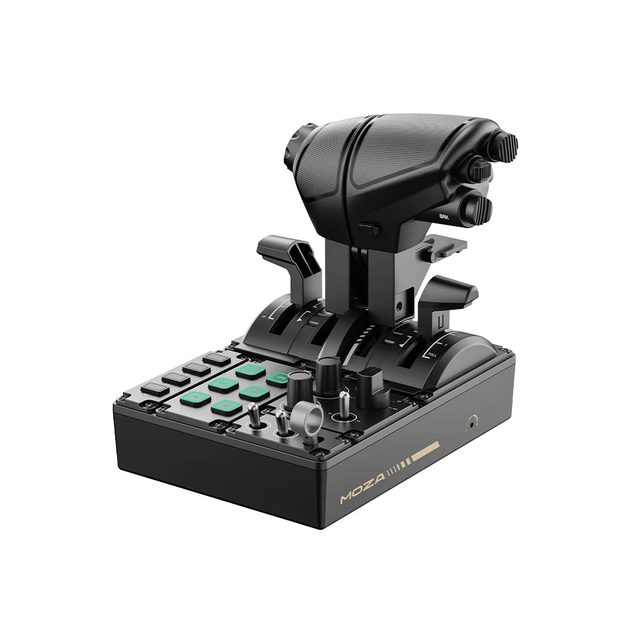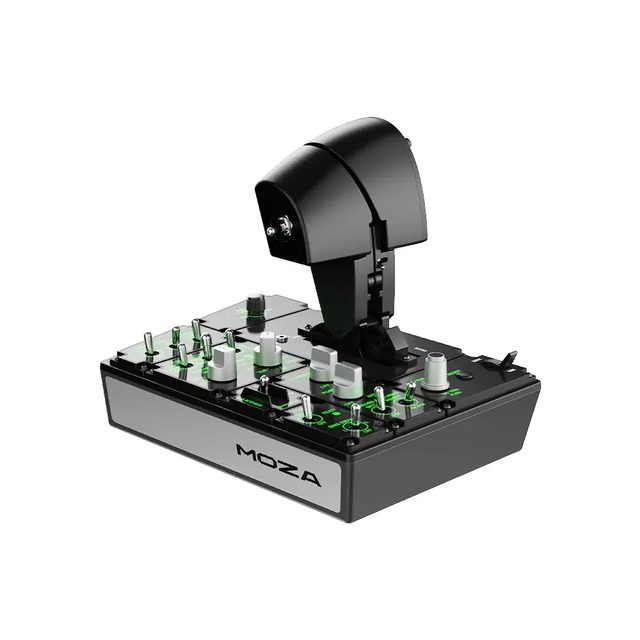
TQBMOZA TQB Throttle Module — Boeing-style throttle levers for the MOZA MTQ: reverse and a TO/GA button
Boeing levers for the MOZA MTQ
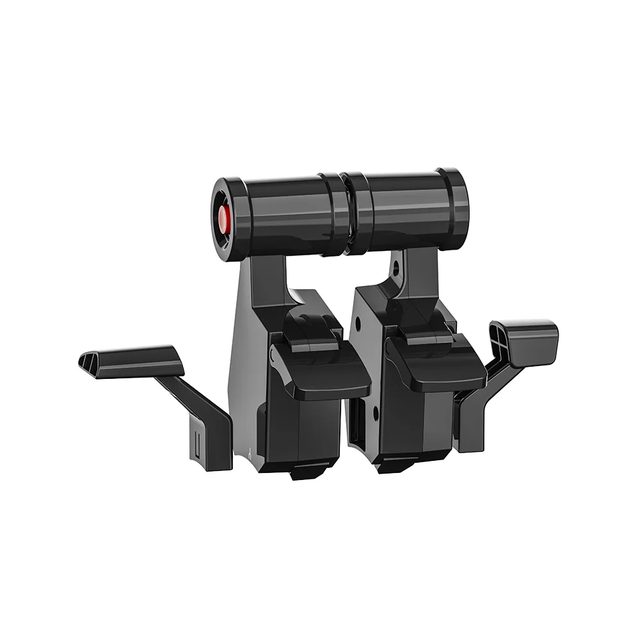
- 4×levers in the set
- 2×Boeing throttle levers
- 1×TO/GA button
1-month GEEKSHOP warranty · Pre-order — no payment now
Lift-to-arm reverse and TO/GA at your fingertips
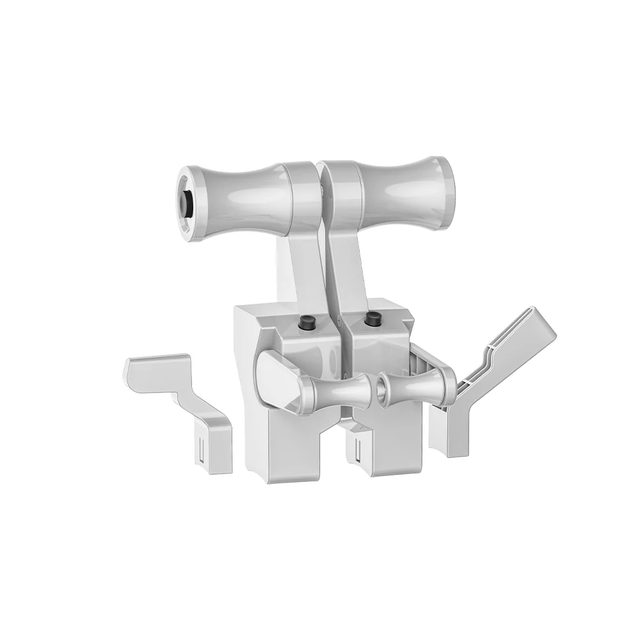
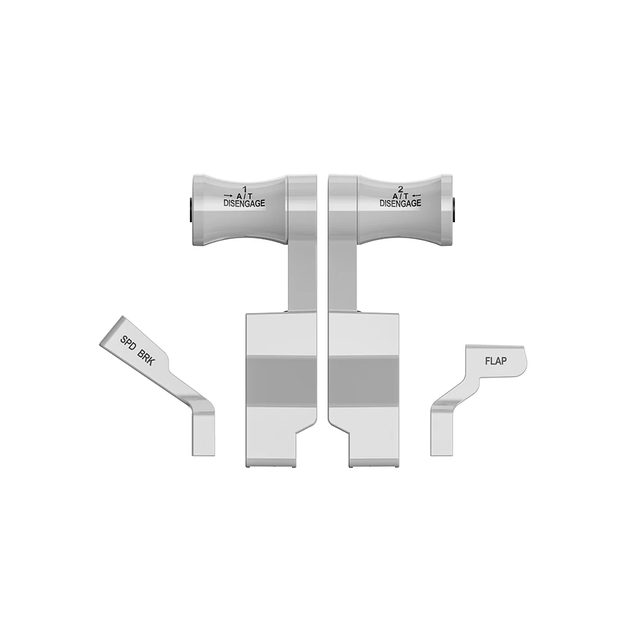
The MOZA TQB Throttle Module is a replacement lever set that switches the MOZA MTQ quadrant over to Boeing cockpit logic. The thrust grips come in a light-coloured housing marked A/T DISENGAGE 1 and 2, with SPD BRK and FLAP levers beside them — the same controls in the same places as on an airliner flight deck. MOZA names three defining traits: extended forward travel on the levers, a reverse-thrust lever that has to be lifted before it arms, and a TO/GA button for take-off and go-around. None of that is cosmetic. Reverse cannot be triggered by an accidental nudge, and take-off or go-around is a single press, exactly as the checklist calls for. The TQB is an add-on rather than a standalone device. The MOZA MTQ quadrant ships with fighter-style TQF levers, while the TQB (Boeing) and TQA (Airbus) modules are bought separately and fitted in their place. An MTQ is required: it connects to MOZA flight bases over an RJ11 cable or to a computer over USB, and the platform is PC.
- 01
A Boeing flight deck on the desk
The TQB mirrors the thrust layout of Boeing airliners: two light-coloured levers whose grips carry the A/T DISENGAGE 1 and 2 markings. They can be moved together or independently, with SPD BRK and FLAP sitting alongside. The quadrant stops being a generic device and starts behaving like part of one specific flight deck.
- 02
A reverse you cannot trigger by accident
On the TQB the reverse-thrust lever has to be lifted before it can be pulled back, exactly as in the real landing procedure. MOZA also calls out the extended forward travel: the thrust range is physically longer, so small changes are easier to meter by hand.
- 03
TO/GA in one press
The module carries a dedicated TO/GA button — the one an airliner crew uses for take-off and go-around. It keeps the procedure under the hand already on the throttle instead of hunting for a keyboard binding. Everything else stays on the MTQ's own axes, so your simulator profile does not have to be rebuilt.
- 04
One quadrant, three characters
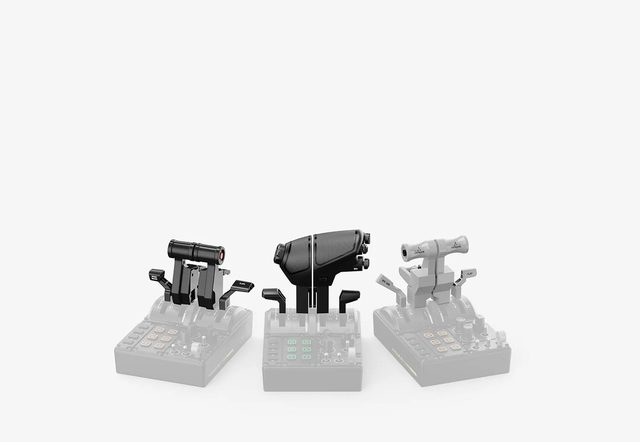
The MOZA MTQ is built around swappable modules: the fighter-style TQF comes with the quadrant, the TQB gives Boeing behaviour and the TQA gives Airbus. Swapping a module changes the mechanical detents and the reverse logic, so the same hardware serves both combat aircraft and airline flying. Damping for each throttle axis is set on the MTQ itself.
Compatibility
The module is designed solely for the MOZA MTQ Throttle Quadrant and replaces its standard fighter-style TQF levers. The MTQ itself connects to MOZA flight bases over an RJ11 cable or straight to a PC over USB; MOZA lists Microsoft Flight Simulator 2020/2024, X-Plane and DCS World as compatible. The TO/GA button and the levers of the module run through the electronics of the quadrant: the TQB has no cable or connector of its own, so it does not work without an MTQ.
In the box
- Boeing throttle levers marked A/T DISENGAGE — 2 pcs
- SPD BRK lever — 1 pc
- FLAP lever — 1 pc
- Extended forward lever travel
- Reverse arms only after you lift the lever
- TO/GA button for take-off and go-around
- Four levers: throttle ×2, SPD BRK, FLAP
Specifications
- Device type
- replacement lever module for a throttle quadrant
- Cockpit style
- Boeing, grips marked A/T DISENGAGE
- Compatibility
- MOZA MTQ Throttle Quadrant
- Platform
- PC
- Supplied as
- separate accessory, not included with the MTQ
- Forward lever travel
- extended compared with the standard levers
- Reverse thrust
- separate lever, armed by lifting
- TO/GA button
- yes, for take-off and go-around
- Axis damping
- adjusted on the MTQ quadrant itself
- Installation
- swaps the MTQ's standard TQF levers
- Throttle levers
- 2
- SPD BRK lever
- 1
- FLAP lever
- 1
- Part number
- AS015
- EAN
- 6973137270933
Specs as published by MOZA
Questions
Can the TQB be used without a MOZA MTQ quadrant?
No. The TQB is a set of replacement levers with no cable or connector of its own: the TO/GA button and the axes run through the quadrant itself. It mounts on the MOZA MTQ in place of the standard TQF levers and cannot be plugged into a PC or a MOZA base directly.
How does the TQB differ from the TQA module?
The TQB recreates a Boeing flight deck: extended forward travel, a lift-to-arm reverse lever and a TO/GA button. The TQA recreates the Airbus A3X series with its own detent structure and reverse behaviour. Both fit the same MTQ quadrant, so you can own both and swap them to match the aircraft.
Does the Boeing module come with the MTQ?
No. According to MOZA, the MTQ quadrant ships with fighter-style TQF levers, while the TQB (Boeing) and TQA (Airbus) modules are offered as separate accessories for the aircraft type you fly.
How does the GEEKSHOP preorder work?
The item is sold on preorder. After you place the request a GEEKSHOP manager contacts you and confirms the order; the indicative delivery time is about one month from confirmation.
The YouTube video loads only after you click.
No customer reviews yet — and we do not make them up.
TQB
We do not take payment now. A GEEKSHOP manager will contact you to confirm availability, the delivery date and payment.
1-month GEEKSHOP warranty · Delivery across Uzbekistan — quoted by the manager