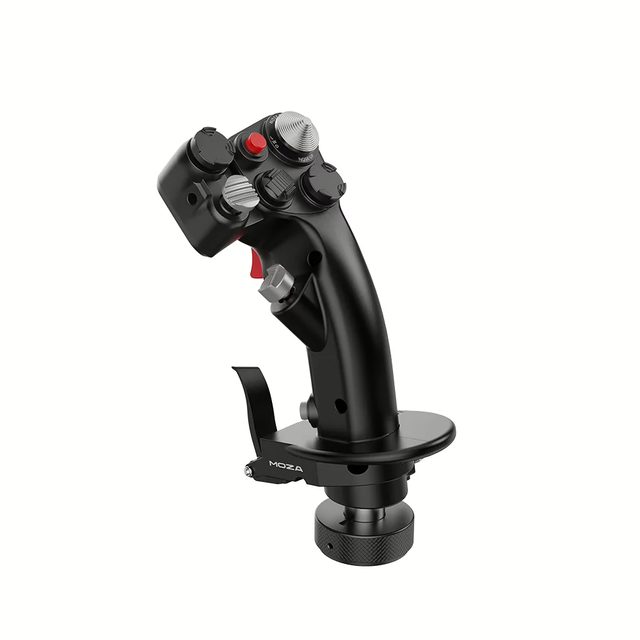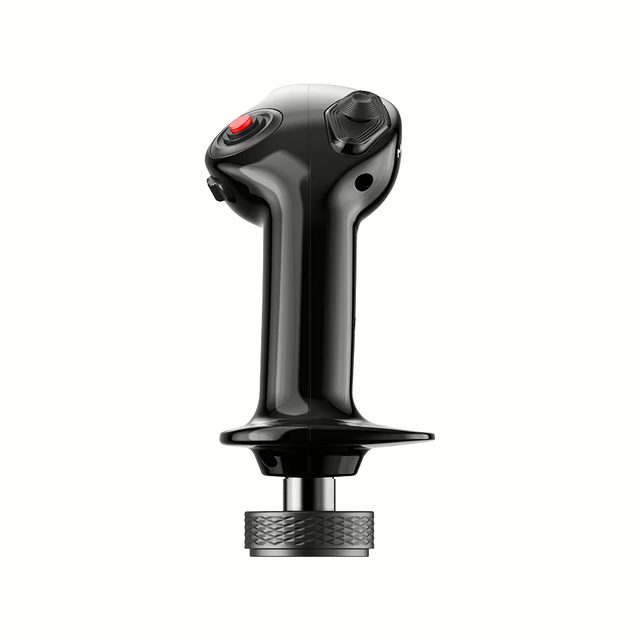
MHGgrip for MOZA bases: carbon fibre, 25 outputs, Hall sensors, 395 g
The swappable grip for MOZA bases
- 25assignable outputs
- 395ggrip weight
- 4five-way switches
- 2trigger stages
1-month GEEKSHOP warranty · Pre-order — no payment now
Carbon fibre, Hall sensors and 25 commands at your fingertips
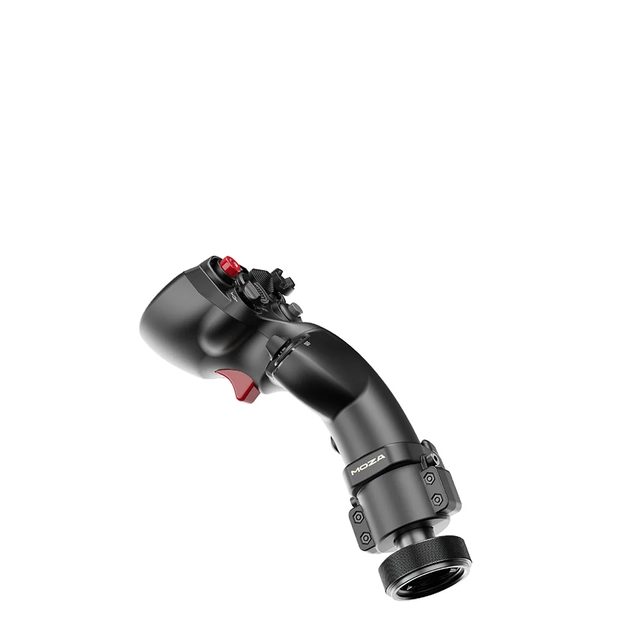
The MOZA MHG Flightstick is a swappable grip for MOZA Flight bases. Its shape blends fighter and spacecraft cues: the palm settles into a vertical hold while every control stays within reach of the thumb and index finger. It is the same grip that ships in the AB6 bundle, which makes it an easy second stick for a different profile or for an AB9 base. The body is carbon-fibre reinforced composite, the connector is metal and the button caps are ABS. It weighs 395 g and measures 142.5 × 202 × 313 mm. That structural margin is sized for high-torque bases such as the AB9, where the grip is under constant force feedback load. In total the stick delivers 25 assignable outputs, including four five-way switches and a Hall-effect hat switch (mini-stick). The hat switch and the Z axis are contactless: Hall sensors do not wear out and do not drift the way potentiometers do, and in MOZA Cockpit the hat can be configured as an axis or as a set of buttons. Yaw comes from twisting the grip, with a crisp return to centre, and locks out when pedals take that job. The two-stage trigger issues distinct commands for a light and a full press, while RGB lighting and mapping profiles can be switched in software or by toggles on the grip itself.
- 01
A fighter hold with a spacecraft silhouette
The MHG body is built around a vertical hold: the palm rests fully on the grip, the thumb reaches the upper button plate and the index finger falls on the trigger. The geometry works equally well in a DCS dogfight and in a space sim, where you need fast access to many commands without diving into menus.
- 02
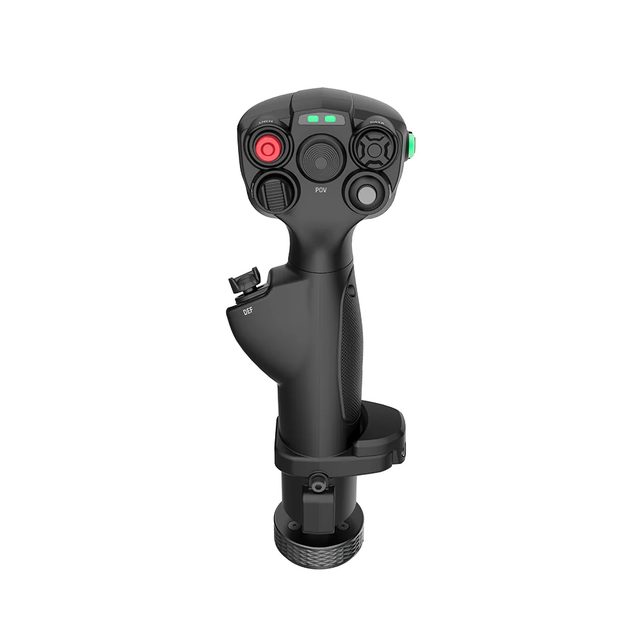
25 commands in the thumb zone
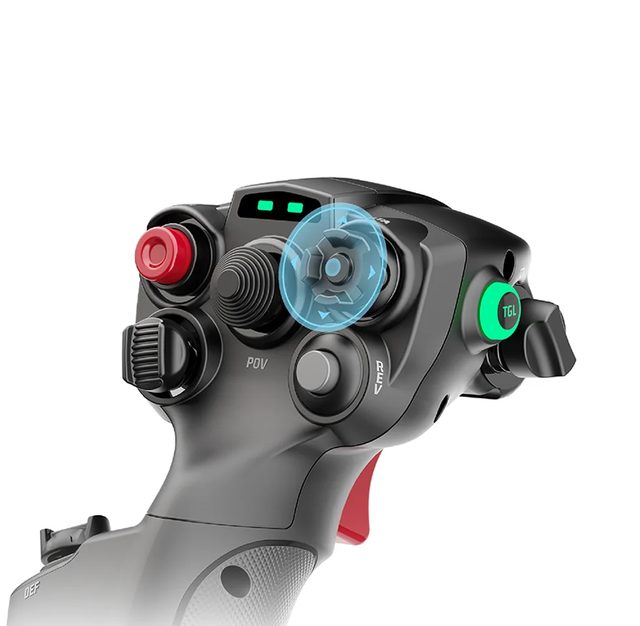
The upper plate carries buttons, four five-way switches and a Hall-effect hat switch — 25 assignable outputs in total. That is enough to put radio, targeting, gear and camera control on the grip at the same time. Mapping profiles switch instantly, either in MOZA Cockpit or via toggles on the stick, with no alt-tab out of the sim.
- 03
Hall sensors instead of potentiometers
The hat switch and the yaw axis both run on contactless Hall sensors. There are no wiper tracks to wear and start drifting or registering false inputs, so precision holds up after hundreds of hours. In MOZA Cockpit both can be configured as an axis or as a set of buttons — to suit the task, not the sensor type.
- 04
A Z axis you can switch off
A separate Z axis handles yaw with a pronounced return to centre — you feel the rudder rather than guess at it. If you fly with rudder pedals, the axis can be locked, so an accidental twist of the wrist no longer yaws the aircraft. The lock comes off just as quickly when the pedals are not in use.
- 05
Built for high-torque bases
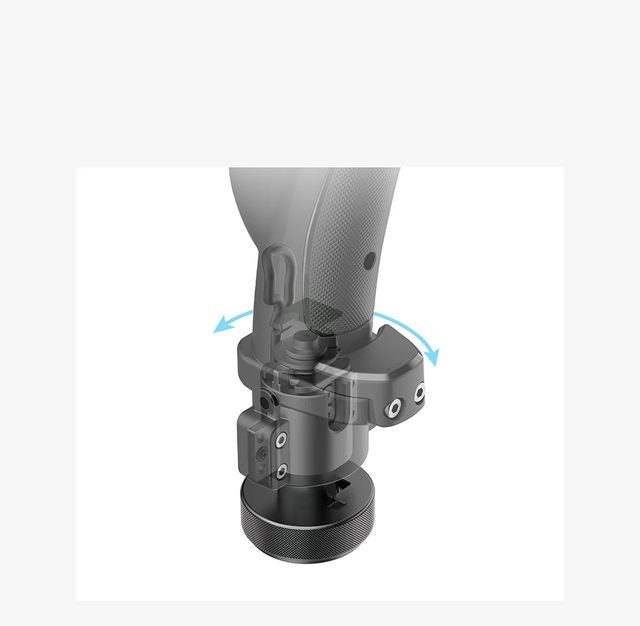
Carbon-fibre composite was not chosen for looks: on an AB9 base the grip works constantly against serious force feedback, and ordinary plastic would start to flex at the root. The metal connector adds stiffness where it meets the base, and 395 g keeps the feel of an instrument rather than a light toy.

Compatibility
The grip mounts on MOZA Flight bases — the AB6, AB9 and other models in the range. It does not work on its own: this is a swappable handle, not a standalone USB joystick. Platform is PC; buttons, axes, the hat switch and lighting are configured in MOZA Cockpit. The same grip ships inside the MOZA AB6 Flight Simulator bundle, so AB6 owners usually buy it as a second or spare stick.
In the box
- MOZA MHG Flightstick × 1
- Toolkit
- User manual
- 25 assignable outputs under your thumb
- Carbon-fibre reinforced composite body, 395 g
- Hall sensors: no drift, no contact wear
- Two-stage trigger and a lockable Z axis
Specifications
- Device type
- swappable flight grip for MOZA Flight bases
- Dimensions
- 142.5 × 202 × 313 mm
- Weight
- 395 g
- Casing material
- carbon-fibre reinforced composite
- Connector material
- metal
- Button cap material
- ABS plastic
- Assignable outputs
- 25
- 5-way switches
- 4
- Trigger stages
- 2
- Hat switch (mini-stick)
- 1, Hall-effect, configurable as an axis or as buttons
- Z axis (yaw)
- Hall-effect, self-centring, lockable
- Lighting
- customisable RGB
- Bases
- MOZA Flight bases, including the AB6 and AB9
- Platform
- PC
- Software
- MOZA Cockpit
- Profile switching
- in MOZA Cockpit or via onboard toggles
- Part number
- AS018
- EAN
- 6973137271367
Specs as published by MOZA
Questions
Can I plug the MHG straight into a PC?
No. The MHG is a swappable grip, not a standalone joystick: it mounts on a MOZA Flight base (an AB6 or AB9, for example) and the base is what connects to the computer. Without a base, look at the MOZA AB6 Flight Simulator bundle, where this same grip comes with one.
How does the MHG differ from the MH16?
Both grips mount on MOZA Flight bases, but the MHG is the more affordable model: 25 assignable outputs and a carbon-fibre reinforced composite body. MOZA lists the MH16 with 27 input signals, an aviation-grade aluminium alloy body and detachable pogo-pin modules. If you are building a first setup or adding a second grip for a separate profile, the MHG covers it.
Does the yaw axis get in the way if I use pedals?
No. The Z axis can be locked — after that, twisting the grip sends nothing to the sim and the rudder is controlled by the pedals alone. The lock comes off just as quickly if you fly without pedals.
When will my order arrive?
This item is sold on pre-order. After a GEEKSHOP manager confirms the order, delivery takes roughly one month; the manager will give the exact timing at confirmation. Pre-orders open on 18 November 2026.
The YouTube video loads only after you click.
No customer reviews yet — and we do not make them up.
MHG
We do not take payment now. A GEEKSHOP manager will contact you to confirm availability, the delivery date and payment.
1-month GEEKSHOP warranty · Delivery across Uzbekistan — quoted by the manager